On SynthForSale we are taking a look at the Akai Professional MPK Mini MK4 Compact MIDI Keyboard & Pad Controller Grey because it is in UK stock, if you are looking for new MIDI Keyboard gear by Akai to add to your set up, then Read More for ordering, spec, details, pictures, demos, reviews with the best price from a UK retailer delivered direct to your door.. The Akai Professional MPK Mini MK4 is built for producers beatmakers and musicians who need a compact controller that delivers full creative control without taking up space. It features a redesigned 25-key velocity-sensitive keybed that feels smooth and responsive making it easier to lay down melodies chords and basslines. Real pitch and modulation wheels give you accurate and hands-on control when performing or fine-tuning your sound. Eight RGB-backlit MPC pads respond to both velocity and pressure making them ideal for finger drumming sample triggering and clip launching. Each pad is highly responsive and can be assigned across two pad banks for more performance options. The MK4 also includes eight assignable rotary knobs an expanded transport section and a full-colour screen that gives you clear visual feedback as you work. The MPK Mini MK4 also comes with the Studio Instrument Collection a virtual instrument plugin featuring over one thousand studio-ready sounds from AIR Akai Pro and Moog.
Search results for: “Akai MPC X”
-
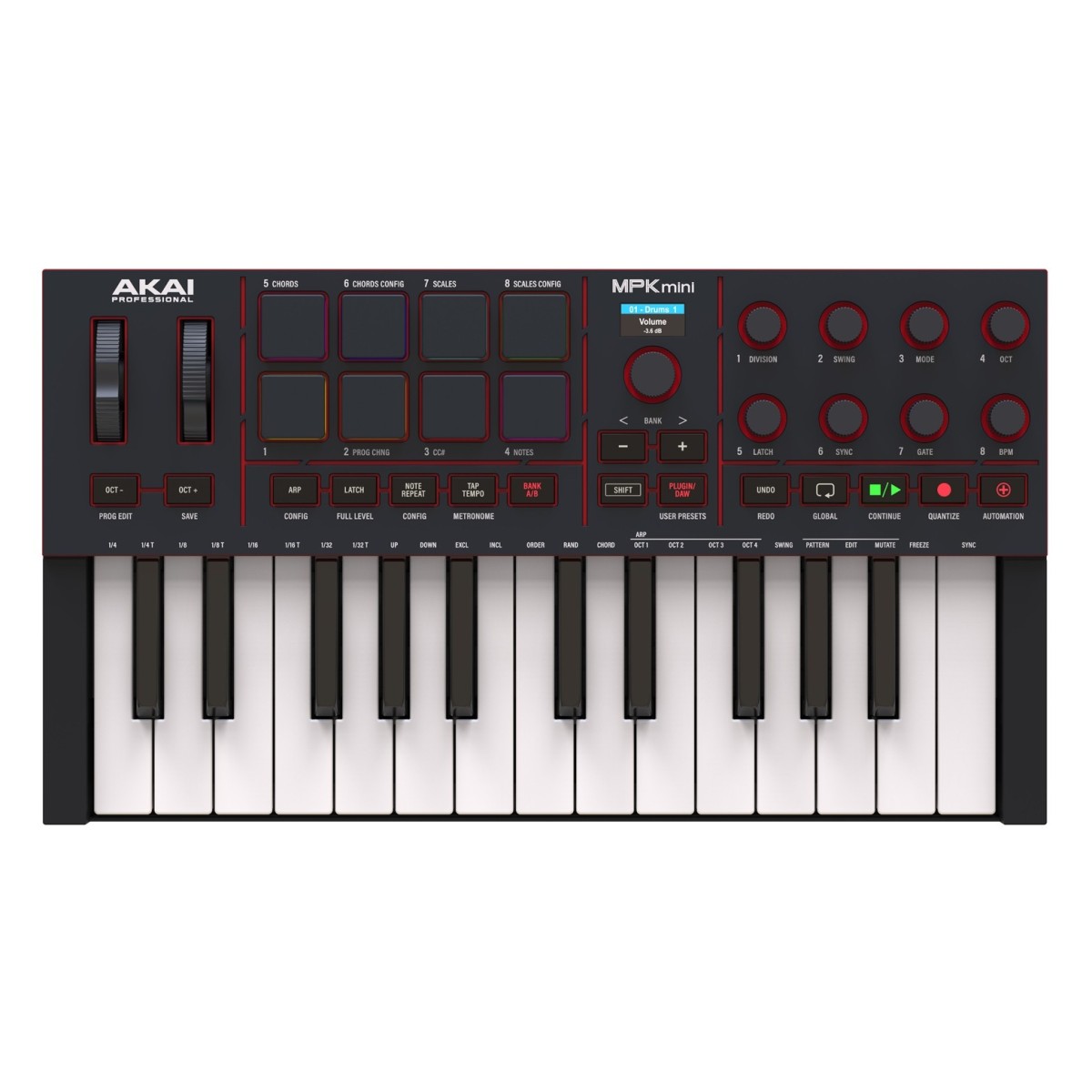
Akai Professional MPK Mini MK4 Compact MIDI Keyboard & Pad Controller Black
On SynthForSale we are taking a look at the Akai Professional MPK Mini MK4 Compact MIDI Keyboard & Pad Controller Black because it is in UK stock, if you are looking for new MIDI Keyboard gear by Akai to add to your set up, then Read More for ordering, spec, details, pictures, demos, reviews with the best price from a UK retailer delivered direct to your door.. The Akai Professional MPK Mini MK4 is built for producers beatmakers and musicians who need a compact controller that delivers full creative control without taking up space. It features a redesigned 25-key velocity-sensitive keybed that feels smooth and responsive making it easier to lay down melodies chords and basslines. Real pitch and modulation wheels give you accurate and hands-on control when performing or fine-tuning your sound. Eight RGB-backlit MPC pads respond to both velocity and pressure making them ideal for finger drumming sample triggering and clip launching. Each pad is highly responsive and can be assigned across two pad banks for more performance options. The MK4 also includes eight assignable rotary knobs an expanded transport section and a full-colour screen that gives you clear visual feedback as you work. The MPK Mini MK4 also comes with the Studio Instrument Collection a virtual instrument plugin featuring over one thousand studio-ready sounds from AIR Akai Pro and Moog.
-
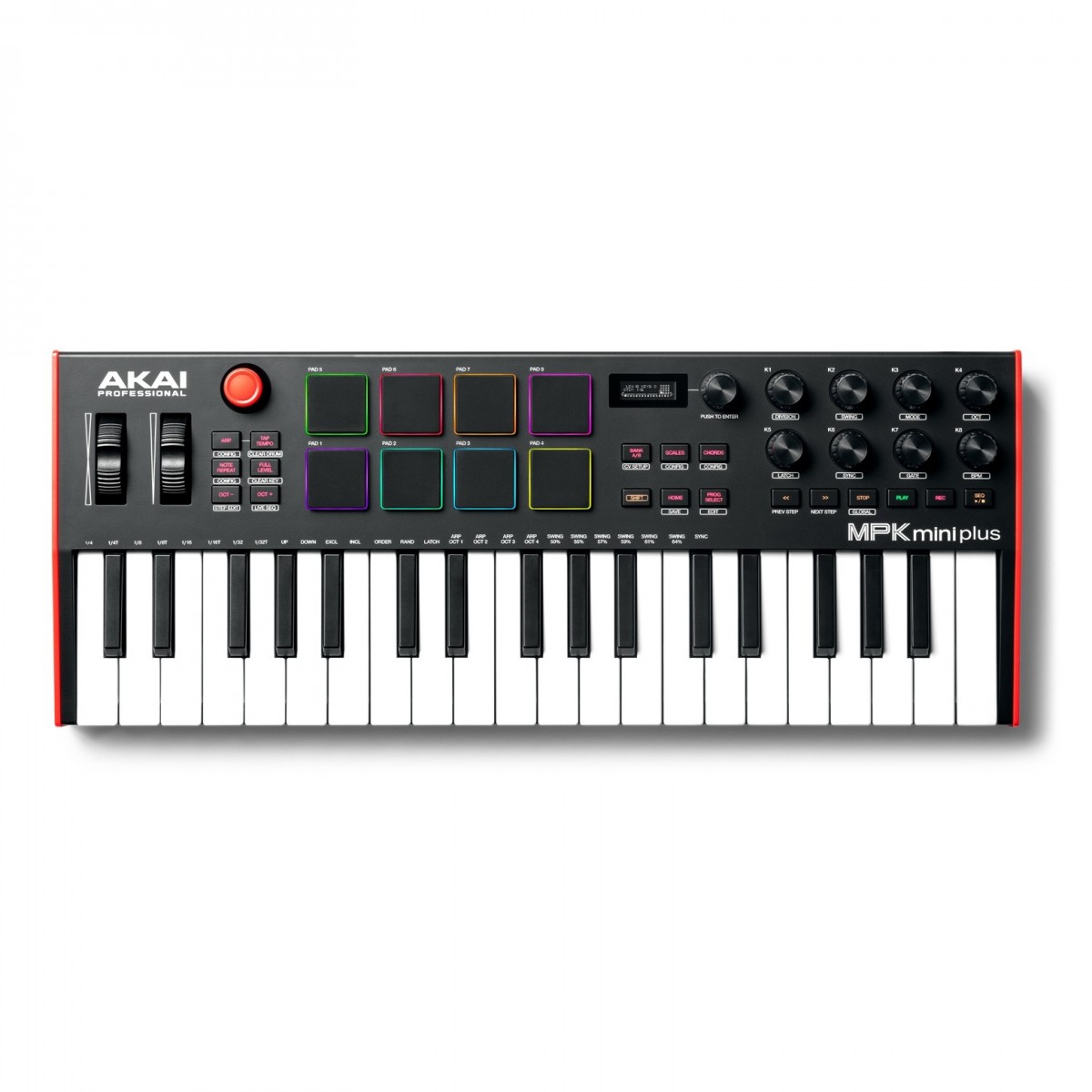
Akai Professional MPK Mini Plus 37-Key MIDI Keyboard
The Akai Professional MPK Mini Plus 37-Key MIDI Keyboard is now available on SynthforSale. Order now for fast UK home delivery. The Akai Professional MPK Mini Plus 37-Key MIDI Keyboard builds on the design of the original MPK Mini with an expanded control section and rear-panel connections that now include CV and MIDI connectivity. The control section featured dedicated transport controls and a new 360-degree rotary knob that allows you to dial in your settings and effects. It also features a brand-new polyphonic step sequencer which allows you to capture ideas on the fly and create loops and patterns with ease. It also includes new dedicated Pitch Bend and Modulation Wheel controllers – perfect for live performances and added expression in the studio At the heart of the MPK Mini Plus is the second-generation keybed provides optimal expression and accurate articulation. This ensures you capture every nuance of your performance reacting to the slightest touch to capture every detail. The classic MPC pads make a return with RGB backlit lighting that delivers that classic MPC touch and feel. The MPC pads are perfect for finger-drumming creating percussive loops and chopping samples. Dial-in settings and parameters with ease using the eight assignable endless encoders. The iconic joystick controller can also be used for tactile expression allowing you to control various CC parameters and much more. With the inclusion of CV and MIDI connectivity you can use the MPK Mini Plus with your favourite modular synths and outboard gear. Use the keybed to control notes from a modular synth or use the MIDI connectivity to hook the MPK Mini Plus up to your favourite synthesizers and sequencing units. Complete with the MPK Mini Plus is the MPC Beat DAW for both Mac and PC. Featuring thousands of samples drum sounds loops and plug instruments; the MPC Beats DAW gives you everything you need to unleash your creativity. The MPK Mini also now supports NKS integration allowing you to use Native Instruments plugins to their full potential. Also included is your choice of one of three Komplete Select bundles each tailored to different production styles.
-
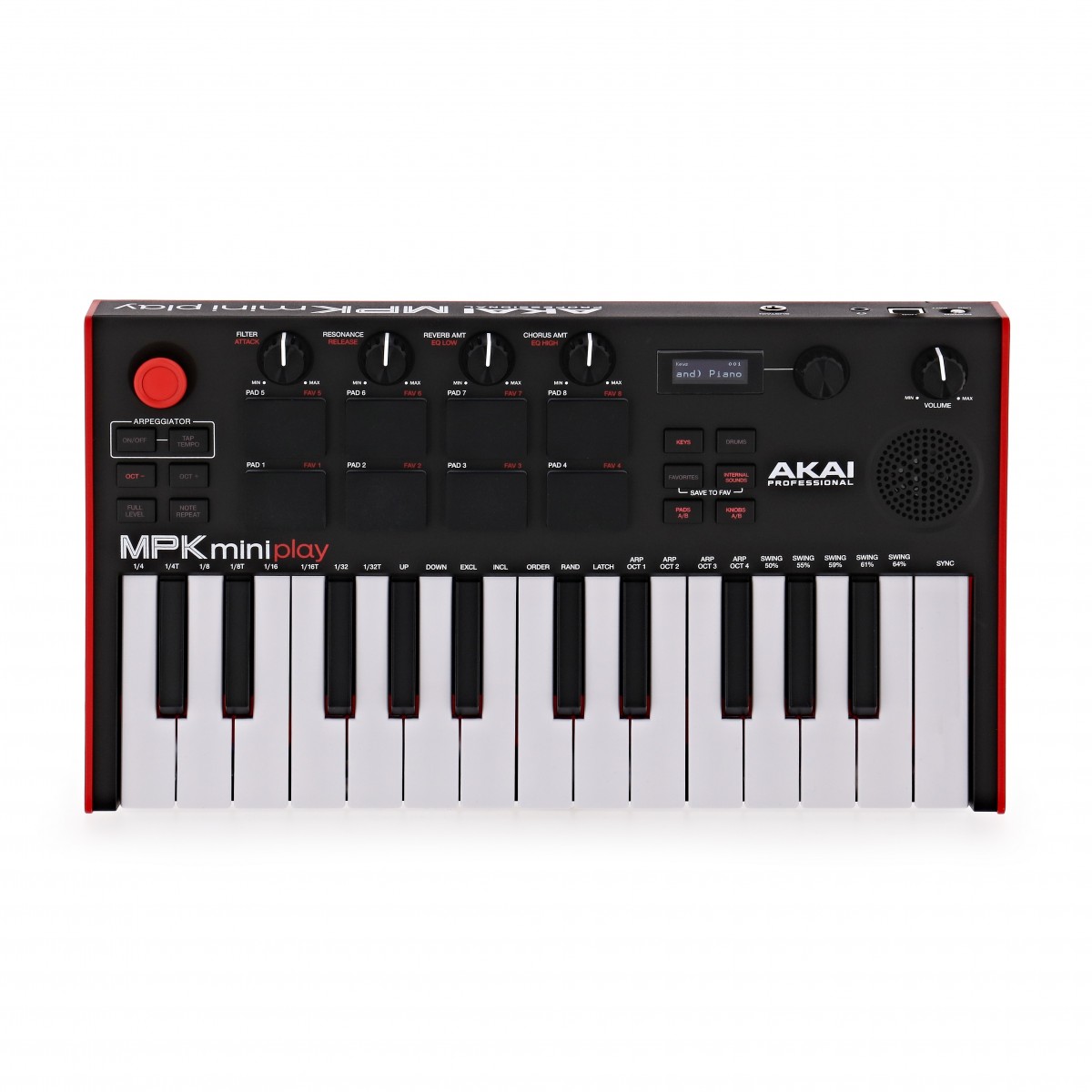
Akai Professional MPK Mini Play MK3 Keyboard and MIDI Controller
The Akai Professional MPK Mini Play MK3 Keyboard and MIDI Controller is now available on SynthforSale. Order now for fast UK home delivery. The Akai Professional MPK Mini Play MK3 Keyboard and MIDI Controller is the next-level upgraded MIDI keyboard in a compact and portable housing for travelling musicians. Building on the excellent reputation of previous models the MK3 introduces several upgraded parts to improve performance playability and functionality. With the MPK Mini Play MK3 you can perform exactly as you mean to with complete authenticity thanks to the upgraded Gen 2 keybed as well as hear back exactly how your music will sound with particular attention to the low-end through the redeveloped onboard speaker. Eight improved MPC-style pads give you tactile control over the percussion elements of your performance for an improved response as well as extended durability over time. Combining playability with functionality and portability the MPK Mini Play MK3 is the ideal tool for music creation anywhere you go. The small footprint class-compliant USB or battery-powered keyboard offers up to 14 hours of playtime for completely wireless music creation. For musicians of all abilities the MPK Mini Play MK3 comes bundled with several software solutions including MPC Beats for music production as well as Melodics for your musical education. With over 128 internal sounds youll never run out of choice when creating the music youve always wanted to. Take control of your sessions and use the Akai Professional MPK Mini Play MK3 as a controller using the four assignable knobs controlling MIDI parameters of your sessions including Pan automation and precise editing. Perfect for producers and musicians the MPK MK3 offers a new unique way to the music youve always wanted to. The MPK Mini also now supports NKS integration allowing you to use Native Instruments plugins to their full potential. Also included is your choice of one of three Komplete Select bundles each tailored to different production styles.
-
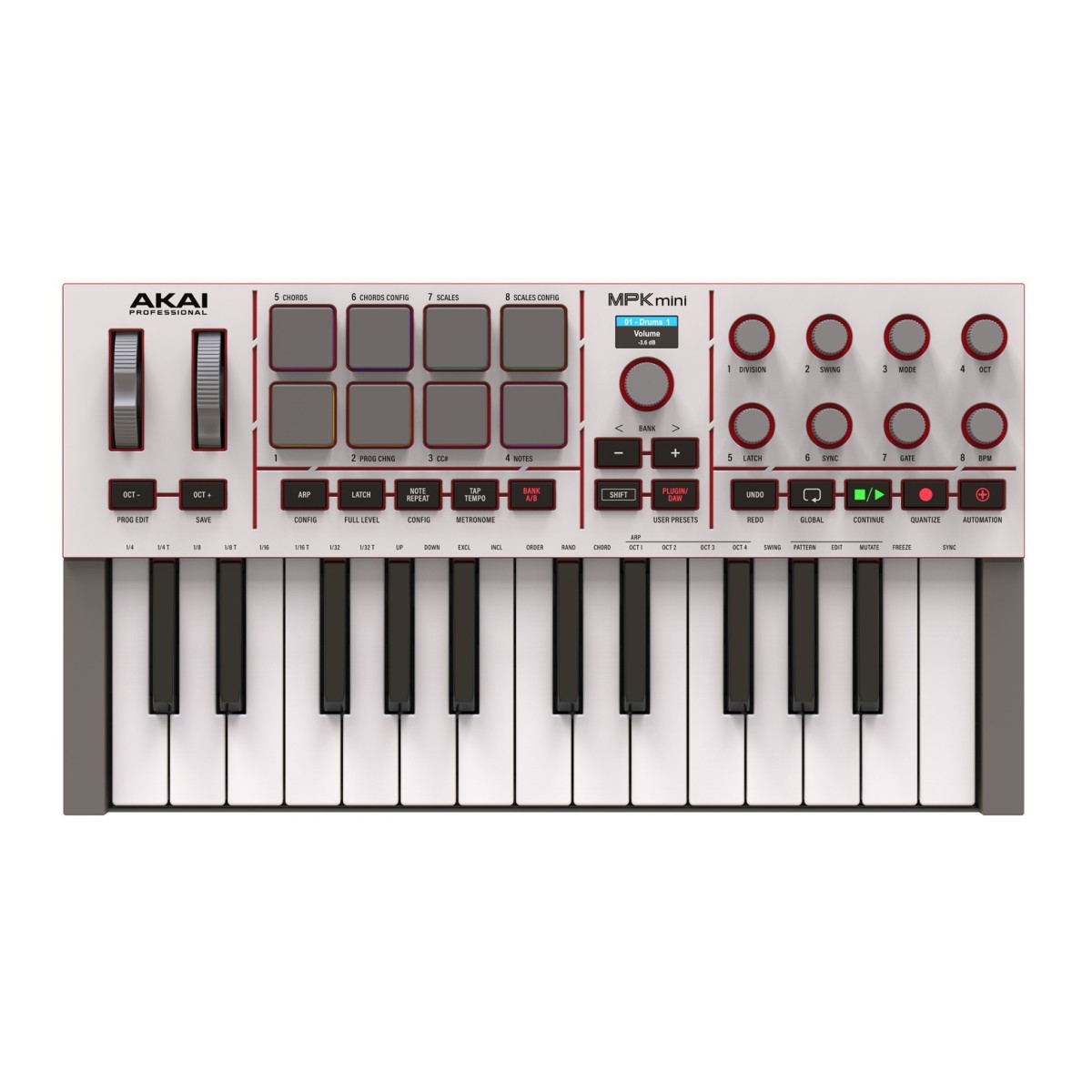
Akai Professional MPK Mini MK4 Compact MIDI Keyboard & Pad Controller Grey
The Akai Professional MPK Mini MK4 Compact MIDI Keyboard & Pad Controller Grey is now available on SynthforSale. Order now for fast UK home delivery. The Akai Professional MPK Mini MK4 is built for producers beatmakers and musicians who need a compact controller that delivers full creative control without taking up space. It features a redesigned 25-key velocity-sensitive keybed that feels smooth and responsive making it easier to lay down melodies chords and basslines. Real pitch and modulation wheels give you accurate and hands-on control when performing or fine-tuning your sound. Eight RGB-backlit MPC pads respond to both velocity and pressure making them ideal for finger drumming sample triggering and clip launching. Each pad is highly responsive and can be assigned across two pad banks for more performance options. The MK4 also includes eight assignable rotary knobs an expanded transport section and a full-colour screen that gives you clear visual feedback as you work. The MPK Mini MK4 also comes with the Studio Instrument Collection a virtual instrument plugin featuring over one thousand studio-ready sounds from AIR Akai Pro and Moog.
-
Akai Professional MPK Mini MK4 Compact MIDI Keyboard & Pad Controller Black
The Akai Professional MPK Mini MK4 Compact MIDI Keyboard & Pad Controller Black is now available on SynthforSale. Order now for fast UK home delivery. The Akai Professional MPK Mini MK4 is built for producers beatmakers and musicians who need a compact controller that delivers full creative control without taking up space. It features a redesigned 25-key velocity-sensitive keybed that feels smooth and responsive making it easier to lay down melodies chords and basslines. Real pitch and modulation wheels give you accurate and hands-on control when performing or fine-tuning your sound. Eight RGB-backlit MPC pads respond to both velocity and pressure making them ideal for finger drumming sample triggering and clip launching. Each pad is highly responsive and can be assigned across two pad banks for more performance options. The MK4 also includes eight assignable rotary knobs an expanded transport section and a full-colour screen that gives you clear visual feedback as you work. The MPK Mini MK4 also comes with the Studio Instrument Collection a virtual instrument plugin featuring over one thousand studio-ready sounds from AIR Akai Pro and Moog.
-
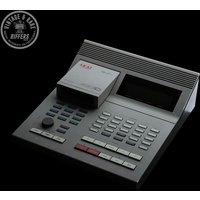
1990s Akai ASQ 10 Sequencer White used
This is a lovely example of a used Akai Sequencer available on Synth for Sale. Running the sought-after Vimana 3.15B5 by Mansell LabsOften referred to as the padless MPC60, the AKAI ASQ10 (Advanced Sequencer) is a legendary … Read More for more information and how to order. Running the sought-after Vimana 3.15B5 by Mansell LabsOften referred to as the padless MPC60, the AKAI ASQ10 (Advanced Sequencer) is a legendary …
-
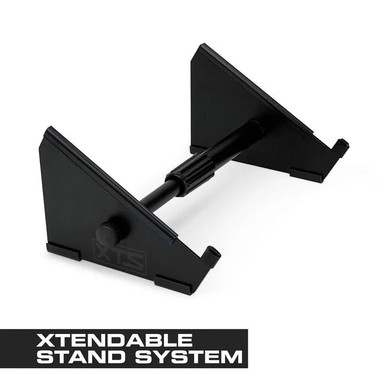
Analog Cases XTS Stand – Large
How cool is this Analog Cases XTS Stand – Large, the synthforsale team think these Synths are a great option to consider.
Give your gear a boost with an XTS Desktop Stand, one of the most durable and versatile stands on the planet!
Adjustable:
Featuring a unique extendable design, the Large XTS Stand can be resized to any length between 10.5″ – 18.25″, to adapt to any gear setup. XTS Stands hold up to 25 pounds, offering the ultimate in stability.
Examples of what it can be used for:
TThe Large XTS Stand is perfect for perfect for samplers, MIDI controllers, synths, and Eurorack cases. Including: Akai MPC Live 2, Ableton Push 2, Arturia KeyStep Pro, Korg Minilogue, Native Instruments Maschine, Roland TR-8S, Intellijel 7U Performance Case, and similar size gear.
-
Ableton Live 12 Suite,Upgrade from Live 12 Standard
How cool is this Ableton Live 12 Suite,Upgrade from Live 12 Standard, the synthforsale team think these Synths are a great option to consider.
NOTE: This is an upgrade, you will need to own an existing copy of Ableton 12 Standard Edition, please contact us if you’re unsure if you qualify.
Ableton Live has secured itself in the industry and is THE standard DAW for both studio use and live performance. The Prodigy, Skrillex, Rachel K Collier, Vicky O’Neon, Orbital and many more use live setups built around previous iterations of Ableton Live.
Performance, Studio, or both:
All DAWs share common areas, it can be hard to decide what’s best for you. Ableton’s speciality is that it fuses both the live environment and the studio environment together into one package. Clip and Session view share two roles. The Grid-based Clip view allows you to launch audio and midi clips however you choose, building up live performances and changing your sets at will, the Session view is your traditional left-to-right recording timeline. The two integrate seamlessly, allowing you to record your live set as you perform it, or maybe you have some ideas for a bassline? Clip view will let you audition your ideas and swap out components until you find the right one for your current session.
Hardware and effects:
If you have a range of hardware instruments, Live’s midi integration is crazy good, having the ability to control or be controlled by other equipment, you could run your entire session or live set via live, using it as the master sequencer and master effects processor, or hidden away as a brain to be controlled via your existing hardware to allow your existing hardware units to do even more than before!
Live LINK:
Live Link is a networking-based syncing system. This allows all units on the same WIFI network to send and receive tempo information + be linked to a master start-stop quantize. A prime example is if you’re running live and a friend joins your studio with a LINK-compatible device, once they’ve plugged in, they hit play and their unit will automatically sync to Live + Start in time, the bonus here though is if your friend wanted to change the tempo, with normal midi sequencing only the master could change the tempo, but LINK would allow your friend’s device to change the tempo and Live would adjust. Pure, unrestricted jamming.
Some examples of LINK-enabled devices include most KORG iOS and Desktop apps + Modern AKAI MPC hardware sequencers.What’s new in Live 12?
- MIDI Transformations and Generators:
Use MIDI Transformations to add ornaments and articulations, draw acceleration and deceleration curves, connect successive notes and chords, and simulate the strum of a guitar. Take advantage of MIDI Generators that let you conjure up playful and original ideas for you to develop and turn into your own. And go even further with advanced Max for Live Transformations and Generators. - Sound Similarity:
Start with a sample and tell Live’s browser to find comparable sounds and instrument or drum presets – with the help of a set of advanced machine-learning algorithms. Or use Sound Similarity to find and swap comparable samples in Simpler or Drum Rack. - New devices:
create everything from subtle and precise mastering-grade warmth to wild and unpredictable sound degradation with Roar, Live’s new saturation and colouring effect. Explore new textures and timbres with the twin sound engines of Meld. Or get even more expressive with the latest iteration of Robert Henke’s granular synthesis device, Granulator III. - Workflow improvements:
Stack Live’s Clip and Device Views to see more of what’s going on in your track at a glance. Use Live’s Mixer in Arrangement View to get more information and control without moving to Session View and breaking the flow. Discover new sounds and find them again more easily with the Browser’s new tagging system and search history. And freeze and flatten a track in just one step.
Key Features
- One of the industry’s best samplers:
Ableton Live has set the standards for time and pitch stretching and manipulating audio. Think of it as one giant sampler, by default, any audio is already set up and ready to go. - The best software for live performance:
Ableton Live doesn’t restrict you, it can adapt to how you want to perform, triggering drum samples or audio clips from your drumkit? It can help that, just need it for a setlist and selecting which instruments? Yup, controlling an entire modular rig? That too. Live fits around your workflow, not the other way around. - Hardware Royalty:
If you’re working with hardware like drum machines, samplers, synths and other sequencers, Live helps bridge everything together helping you bring your best ideas to life.
Specifications
- Operating System:
– Mac: macOS 11 Big Sur or later
– Windows: Windows 10 (version 22H2) or Windows 11 (version 22H2 and later) - Processor:
– Mac: Intel Core i5 or later, or Apple Silicon
– Windows: 5th Generation Intel Core i5 or AMD Multi-Core Processor. - Memory: 8GB Ram
- Display:
– Mac: 1280 x 800
– Windows: 1366 x 768 - Disk Space: 3Gb for basic installation (8GB recommended), up to 76GB for additional sound content.
- Software specifications:
– Amount of Audio + MIDI tracks: Unlimited
– Amount of Scenes: Unlimited
– Send + Return Tracks: 12
– Mono Input + Output capability: 256
– Software Instruments: 20
– Packs: 33
– Audio effects: 58
– MIDI Tools: 14
– MIDI Effects: 14
– Modulators: 6
- MIDI Transformations and Generators:
-
Ableton Live 12 Suite,Upgrade from Live 1-11 Standard
How cool is this Ableton Live 12 Suite,Upgrade from Live 1-11 Standard, the synthforsale team think these Synths are a great option to consider.
NOTE: This is an upgrade, you will need to own an existing copy of Ableton 1-11 Standard Edition, please contact us if you’re unsure if you qualify.
Ableton Live has secured itself in the industry and is THE standard DAW for both studio use and live performance. The Prodigy, Skrillex, Rachel K Collier, Vicky O’Neon, Orbital and many more use live setups built around previous iterations of Ableton Live.
Performance, Studio, or both:
All DAWs share common areas, it can be hard to decide what’s best for you. Ableton’s speciality is that it fuses both the live environment and the studio environment together into one package. Clip and Session view share two roles. The Grid-based Clip view allows you to launch audio and midi clips however you choose, building up live performances and changing your sets at will, the Session view is your traditional left-to-right recording timeline. The two integrate seamlessly, allowing you to record your live set as you perform it, or maybe you have some ideas for a bassline? Clip view will let you audition your ideas and swap out components until you find the right one for your current session.
Hardware and effects:
If you have a range of hardware instruments, Live’s midi integration is crazy good, having the ability to control or be controlled by other equipment, you could run your entire session or live set via live, using it as the master sequencer and master effects processor, or hidden away as a brain to be controlled via your existing hardware to allow your existing hardware units to do even more than before!
Live LINK:
Live Link is a networking-based syncing system. This allows all units on the same WIFI network to send and receive tempo information + be linked to a master start-stop quantize. A prime example is if you’re running live and a friend joins your studio with a LINK-compatible device, once they’ve plugged in, they hit play and their unit will automatically sync to Live + Start in time, the bonus here though is if your friend wanted to change the tempo, with normal midi sequencing only the master could change the tempo, but LINK would allow your friend’s device to change the tempo and Live would adjust. Pure, unrestricted jamming.
Some examples of LINK-enabled devices include most KORG iOS and Desktop apps + Modern AKAI MPC hardware sequencers.What’s new in Live 12?
- MIDI Transformations and Generators:
Use MIDI Transformations to add ornaments and articulations, draw acceleration and deceleration curves, connect successive notes and chords, and simulate the strum of a guitar. Take advantage of MIDI Generators that let you conjure up playful and original ideas for you to develop and turn into your own. And go even further with advanced Max for Live Transformations and Generators. - Sound Similarity:
Start with a sample and tell Live’s browser to find comparable sounds and instrument or drum presets – with the help of a set of advanced machine-learning algorithms. Or use Sound Similarity to find and swap comparable samples in Simpler or Drum Rack. - New devices:
create everything from subtle and precise mastering-grade warmth to wild and unpredictable sound degradation with Roar, Live’s new saturation and colouring effect. Explore new textures and timbres with the twin sound engines of Meld. Or get even more expressive with the latest iteration of Robert Henke’s granular synthesis device, Granulator III. - Workflow improvements:
Stack Live’s Clip and Device Views to see more of what’s going on in your track at a glance. Use Live’s Mixer in Arrangement View to get more information and control without moving to Session View and breaking the flow. Discover new sounds and find them again more easily with the Browser’s new tagging system and search history. And freeze and flatten a track in just one step.
Key Features
- One of the industry’s best samplers:
Ableton Live has set the standards for time and pitch stretching and manipulating audio. Think of it as one giant sampler, by default, any audio is already set up and ready to go. - The best software for live performance:
Ableton Live doesn’t restrict you, it can adapt to how you want to perform, triggering drum samples or audio clips from your drumkit? It can help that, just need it for a setlist and selecting which instruments? Yup, controlling an entire modular rig? That too. Live fits around your workflow, not the other way around. - Hardware Royalty:
If you’re working with hardware like drum machines, samplers, synths and other sequencers, Live helps bridge everything together helping you bring your best ideas to life.
Specifications
- Operating System:
– Mac: macOS 11 Big Sur or later
– Windows: Windows 10 (version 22H2) or Windows 11 (version 22H2 and later) - Processor:
– Mac: Intel Core i5 or later, or Apple Silicon
– Windows: 5th Generation Intel Core i5 or AMD Multi-Core Processor. - Memory: 8GB Ram
- Display:
– Mac: 1280 x 800
– Windows: 1366 x 768 - Disk Space: 3Gb for basic installation (8GB recommended), up to 76GB for additional sound content.
- Software specifications:
– Amount of Audio + MIDI tracks: Unlimited
– Amount of Scenes: Unlimited
– Send + Return Tracks: 12
– Mono Input + Output capability: 256
– Software Instruments: 20
– Packs: 33
– Audio effects: 58
– MIDI Tools: 14
– MIDI Effects: 14
– Modulators: 6
- MIDI Transformations and Generators: