Buying music hardware should be exciting, but the names can make the first decision harder than it needs to be. A synthesizer, groovebox, sampler, drum machine and MIDI controller can all sit on the same desk, yet they solve different problems.
The quickest way to choose is not to begin with analogue versus digital or with a list of famous models. Begin with the job you want the instrument to do. Do you want to play chords, programme complete tracks, make drums, capture real sounds or control software? Once that answer is clear, the product category becomes much easier to understand.
The short answer
| What you want to do | Start with | What matters most |
|---|---|---|
| Play melodies and chords | Polyphonic keyboard synthesizer | Keys, enough voices for chords and useful presets |
| Create basses and leads | Monophonic synthesizer | Immediate controls, sequencer and a sound you enjoy |
| Build most of a track in one box | Groovebox | Several tracks, sequencing and arrangement tools |
| Make beats from dedicated drum sounds | Drum machine | Fast pattern entry and performance controls |
| Record and reshape real audio | Sampler | Easy sampling, slicing, storage and resampling |
| Play software instruments | MIDI controller | Key feel, pads, knobs and software integration |
| Cover piano, organ and synth parts on stage | Stage keyboard or workstation | Reliable patch changes, splits, layers and broad sounds |
1. A keyboard synthesizer: the straightforward instrument choice
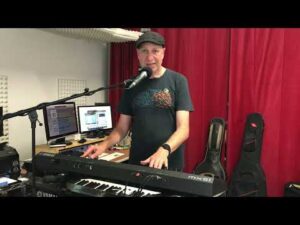
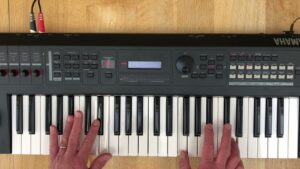
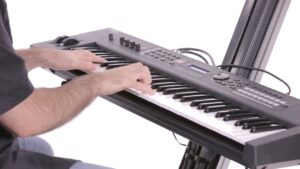
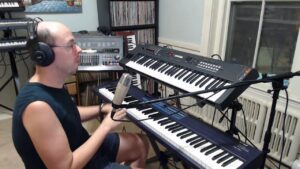
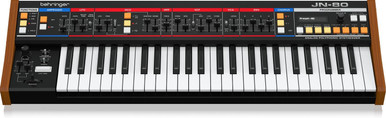
A keyboard synthesizer makes its own sound and gives you keys to play it. It is the most natural starting point if you think in melodies, bass lines or chords and want one complete instrument rather than a separate controller and sound module.
The important question is polyphony. A monophonic synth plays one note at a time, which is ideal for basses, leads and sequences. A polyphonic synth plays several notes together, so it can handle chords and pads. Some compact instruments are paraphonic: several notes can sound, but they share parts of the signal path. That can be musical, but it is not the same freedom as full polyphony.
Choose a keyboard synth if playing is central to the experience. Check the number and size of the keys, whether they respond to velocity or aftertouch, and whether the instrument has enough voices for the parts you want to play.
2. A desktop synth: more sound, less keyboard
A desktop synthesizer is a sound-making instrument without a conventional keyboard. It can be a good use of space when you already own a MIDI keyboard, sequence from a groovebox or prefer to programme notes from a computer.
The advantage is that you are not paying for another full keybed every time you add a different sound engine. The trade-off is that the module may not feel complete on its own. Confirm that you have a suitable MIDI controller or sequencer and the right MIDI cable or USB connection before it arrives.
3. A groovebox: for patterns and complete ideas
A groovebox combines sound generation with multi-track sequencing. Depending on the model, it may include synth parts, drums, samples, effects and a way to arrange patterns into a song. It suits musicians who want to turn an idea into a substantial sketch without opening a computer.
A groovebox is usually broader than a single synthesizer but may be less immediate for detailed sound design. Look beyond the number of tracks: ask how quickly you can enter notes, create variations, mute parts, chain patterns and export or record the result.
See five of the best grooveboxes in 2026
4. A drum machine: when rhythm deserves its own instrument
A drum machine is built around rhythm. Some use analogue or modelled drum synthesis, some play samples and many combine both. The reason to choose one over a general groovebox is usually workflow: dedicated step buttons, quick sound controls and performance features can make a beat feel more like something you play than something you edit.
Choose one if drums are a major part of your music or if you want a focused rhythmic partner for a synth. Check how many patterns it stores, whether patterns can be chained, what individual outputs are available and whether the sequencer can send or receive clock.
See five of the best drum machines in 2026
5. A sampler: make instruments from any sound
A sampler records or imports audio and turns it into something playable. That might mean chopping a drum break, pitching a vocal across pads, building an instrument from a single note or capturing a synth phrase and rearranging it.
Samplers vary more than the name suggests. Some are designed for fast performance and effects, some for detailed sequencing, and some can act as the centre of an entire production. Think about what happens after recording: do you need slicing, time-stretching, multisamples, long audio tracks, clip launching or a full song arrangement?
6. A MIDI controller: no sound, but often the right answer
A MIDI controller does not normally create sound by itself. It sends playing and control data to software, a desktop synth or another device. If most of your sounds already live in a computer, a good controller may improve your music-making far more than another small hardware synth.
Pay attention to the feel of the keys and pads, not only the number of knobs. Also check the physical connections. USB is convenient for a computer; traditional MIDI output is useful when you want to control hardware without placing a computer in the middle.
See five of the best MIDI controllers in 2026
7. A stage keyboard or workstation: for broad musical duties
A stage keyboard or workstation is made for musicians who need many dependable sounds rather than one distinctive synthesis method. Pianos, electric pianos, organs, strings and synth tones are usually organised for quick recall, with splits and layers for performance.
Choose this route when you play in a band, cover several parts in one set or need to move between rehearsals and gigs. Weight, patch-change behaviour, outputs and pedal connections matter as much as the size of the sound library.
Analogue, digital or hybrid?
These labels describe how an instrument creates or processes sound; they do not tell you whether you will enjoy using it. Analogue synths often offer a direct signal path and hands-on controls. Digital synths can cover wavetable, FM, sampling, physical modelling and many other methods. Hybrid instruments deliberately combine digital flexibility with analogue stages such as filters.
Choose the workflow and character that draw you back to the instrument. A simple synth you understand will usually produce more music than a powerful one whose interface keeps interrupting you.
Five questions to answer before buying
What part will this instrument play? Decide whether it is mainly for bass, chords, drums, samples, complete arrangements or software control.
How will I enter notes? Choose between full-size keys, slim keys, pads, step buttons or an external controller.
Will I use it alone or with other gear? Check audio outputs, MIDI, USB, clock and the correct cable types.
Do I need to save and recall sounds? Presets are valuable for live sets and repeatable studio work; a fully manual panel can be appealing when exploration matters more.
What is the smallest complete setup? Include headphones or monitors, audio mixing, power and cables in the plan rather than spending the entire budget on the headline instrument.
A sensible first choice
For many beginners, a compact polyphonic keyboard synth is the safest first instrument because it can cover melodies, chords, basses and sound design without extra hardware. If finishing patterns matters more than keyboard playing, start with a groovebox. If the computer already contains the sounds you love, start with a MIDI controller. If recorded audio is the centre of your style, start with a sampler.
There is no single correct category for every musician. The right instrument is the one whose main job matches the music you actually want to make this month, not the larger setup you imagine owning one day.
Read next
Five of the Best Beginner Synthesizers in 2026
How to Build Your First Hardware Synth Setup
How to Connect and Synchronise Synthesizers, Drum Machines and Grooveboxes